
X12 envelope rules preserve integrity and efficient exchange. The hierarchy from outer to inner is: Interchange (ISA/IEA) → Functional group (GS/GE) → Transaction set (ST/SE).
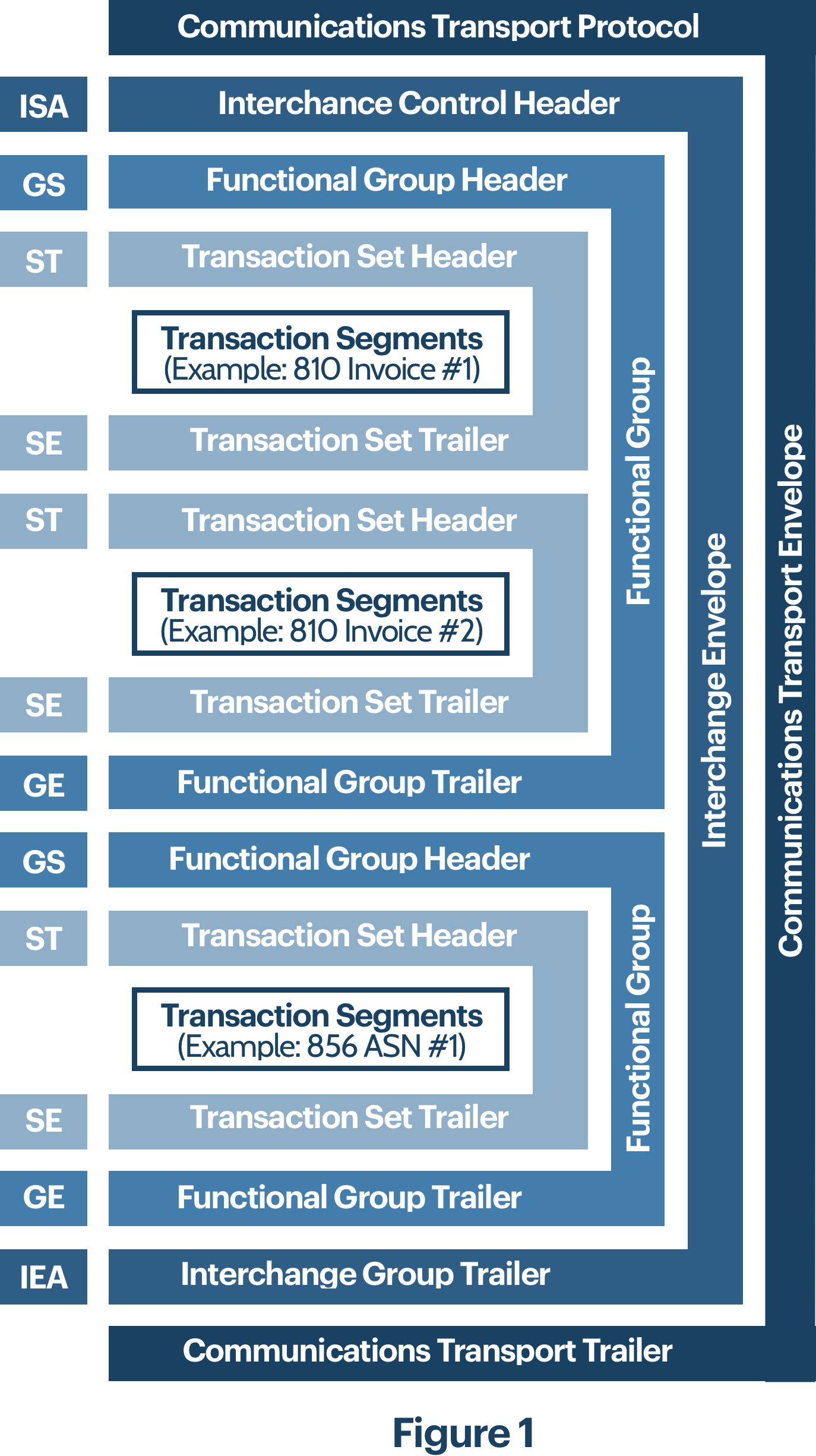
Interchange control envelope (ISA / IEA)
The interchange (“outer”) envelope wraps everything in one transmission. It may contain multiple functional groups, so different transaction families can ride together, each in its own GS/GE. The interchange is bounded by ISA (header) and IEA (trailer).
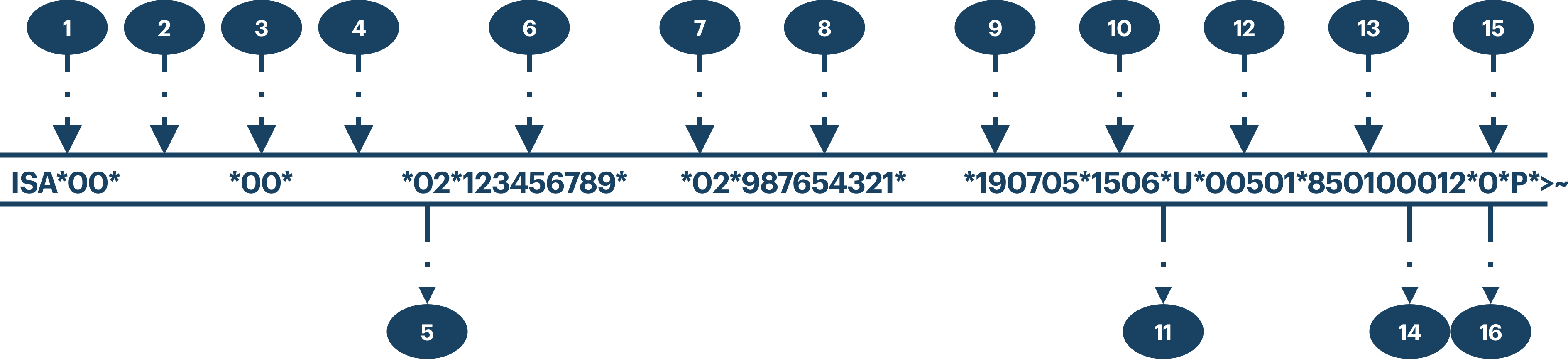
ISA is the only fixed-length X12 segment so parsers can read sender, receiver, element and segment terminators, and sub-element separators before interpreting the body.
Typical ISA/IEA content includes authorization/security qualifiers, interchange IDs, date/time, control numbers, acknowledgment request, usage indicator (T/P), and sub-element separator.
Transmission order: ISA → optional interchange control segments → functional groups → IEA.
ISA segment
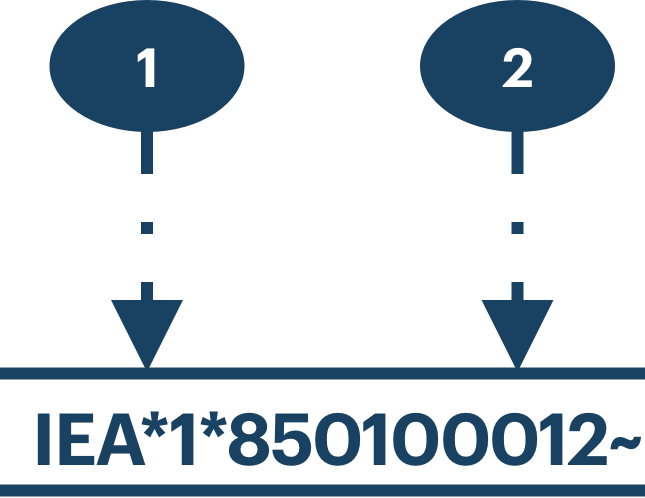
IEA
Includes count of functional groups and interchange control number. ISA-11 and IEA-02 must match on a well-formed interchange; mismatches often indicate truncation or validation gaps.
Functional group envelope (GS / GE)
The functional group (“inner” envelope) contains one or more transaction sets of the same functional type. Header GS and trailer GE wrap the set.
GS segment
GS identifies the functional ID code (two-character family such as PO, IN), sender/receiver codes, date/time, group control number, responsible agency (X for X12), and version/release (e.g. 005010X222A1, positions 1 to 6 are the base publication; 7 to 13 often carry industry guide identifiers).

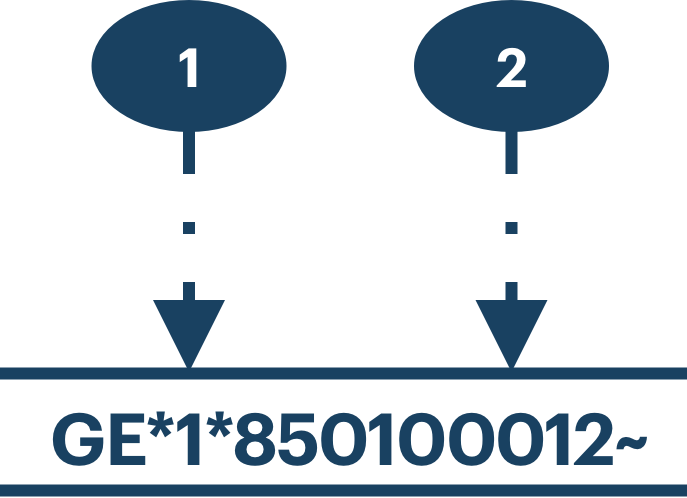
GE segment
GE carries the number of ST/SE transaction sets and the functional group control number. GS-06 and GE-02 must match.
Transaction set envelope (ST / SE)
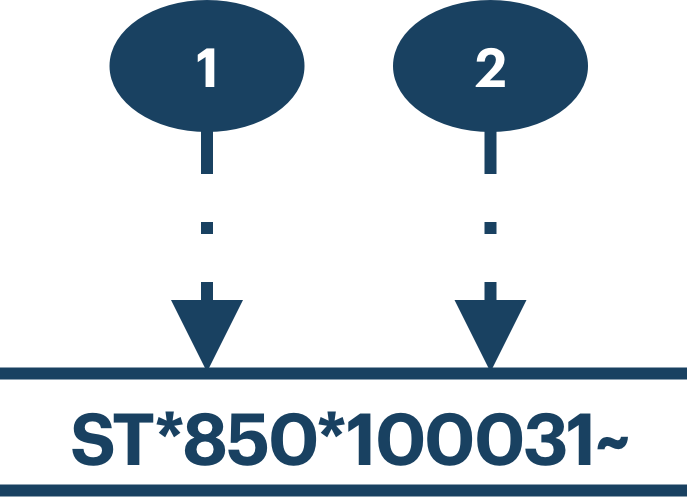
Each transaction set is one business message: ST header, body segments, SE trailer. The three-digit transaction ID (e.g. 850 Purchase Order) appears in ST.
ST segment
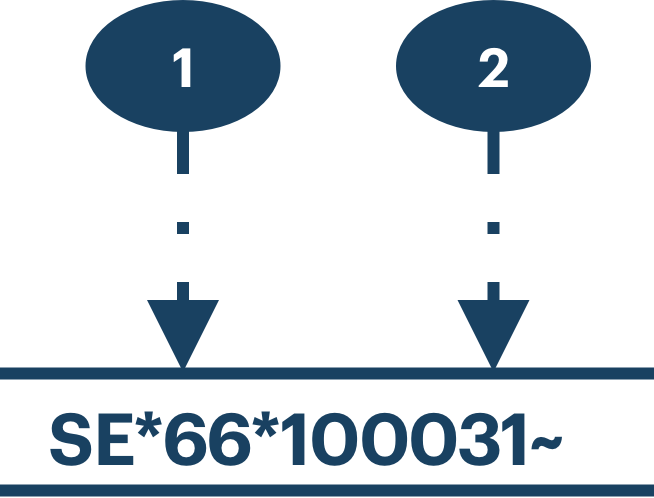
SE segment
SE includes segment count (including ST and SE) and transaction set control number. ST-02 and SE-02 must match for valid X12.
Segments group related elements (similar to records and fields). The standard defines segment order within a transaction; loops define repeating segment groups. Locators often read: transaction → loop occurrence → segment → element position → repeating segment occurrence.
Control number validation
Validators expect control numbers to line up across each envelope level: interchange (ISA ↔ IEA), functional group (GS ↔ GE), and transaction (ST ↔ SE). Misaligned values usually mean a bad file, partial transmission, or relaxed checks in a translator.

Elements, segments, delimiters
Elements are the smallest named units. Simple elements sit outside composites; composite elements are ordered sub-elements (like area code + number).
Common X12 delimiters (declared at the interchange): segment terminator (often ~), element separator (often *), component separator (often :), repetition separator in newer versions (often ^). If payload data contains delimiter characters, translation can break, asterisks in free text are a classic issue.